
Product Photography / Gear / Ecommerce
Lightbox for Product Photography: Is the DUCLUS 16-Inch Worth Buying?
If you sell small products online, lighting is usually the difference between a photo that looks homemade and one that looks like a real listing. A lightbox for product photography handles most of that lighting for you in one folding cube. I own the DUCLUS 16-inch photography lightbox and use it for my own product work, including jewelry and small product detail shots.
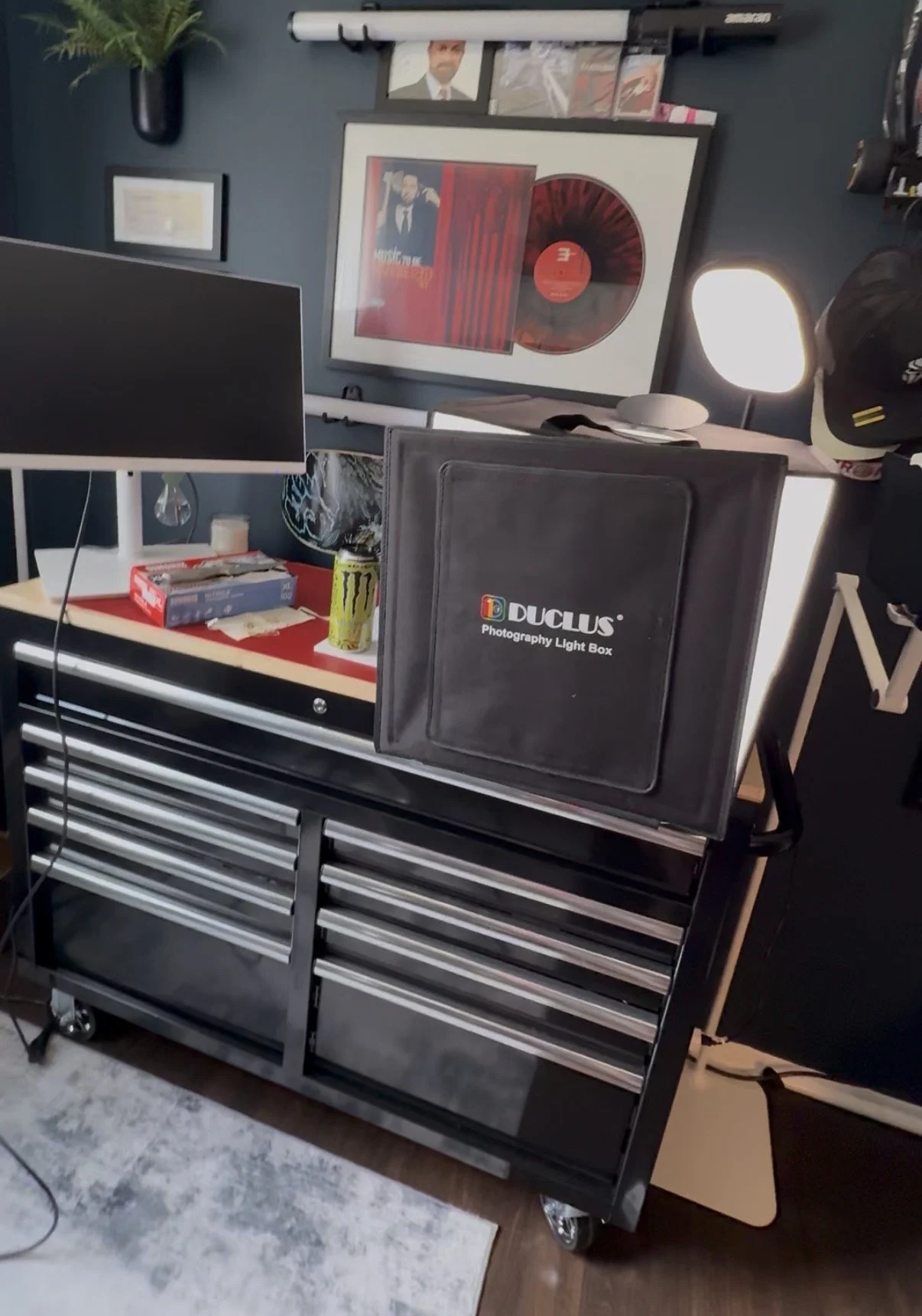
The short answer: If you photograph small products like jewelry, accessories, cosmetics or hardware and want even, consistent light without building a studio, the DUCLUS 16-inch lightbox is worth it. It gives you a controlled, repeatable setup on a desk and folds down for storage. It is not the right tool for large products, complicated reflective work or styled advertising and lifestyle images.
Below is what the box is, the actual photos I've made with it, what it does well, where it falls short, and who I think should buy one.
DUCLUS 16-inch photography lightbox: quick overview
A photography lightbox, also called a photo light tent or portable product photography studio, is an enclosed cube with reflective walls and built-in LED lighting. You set the product inside on a backdrop, shoot through the front opening, and the box does most of the light shaping for you.
The DUCLUS model I use is the 16-inch version. That size covers jewelry, watches, cosmetics, small electronics, accessories, collectibles, small parts and smaller boxed products. It is a compact, practical way to get clean ecommerce product photography without a room full of stands and modifiers.
These are DUCLUS's published specifications. DUCLUS sells this style of lightbox in more than one size, so confirm the 16-inch option is selected on the listing before you order.
Real product photos I took using the DUCLUS lightbox
These are my own photos, captured inside this exact lightbox. They show the kind of work a 16-inch box handles well: small products where clean light and fine detail decide how good the image looks.

The packaging shot shows what a lightbox does best. The light is soft and even across the pouch and the earrings, and the white background stays clean behind the product. That is exactly the look most marketplaces and online stores want for a main product image.
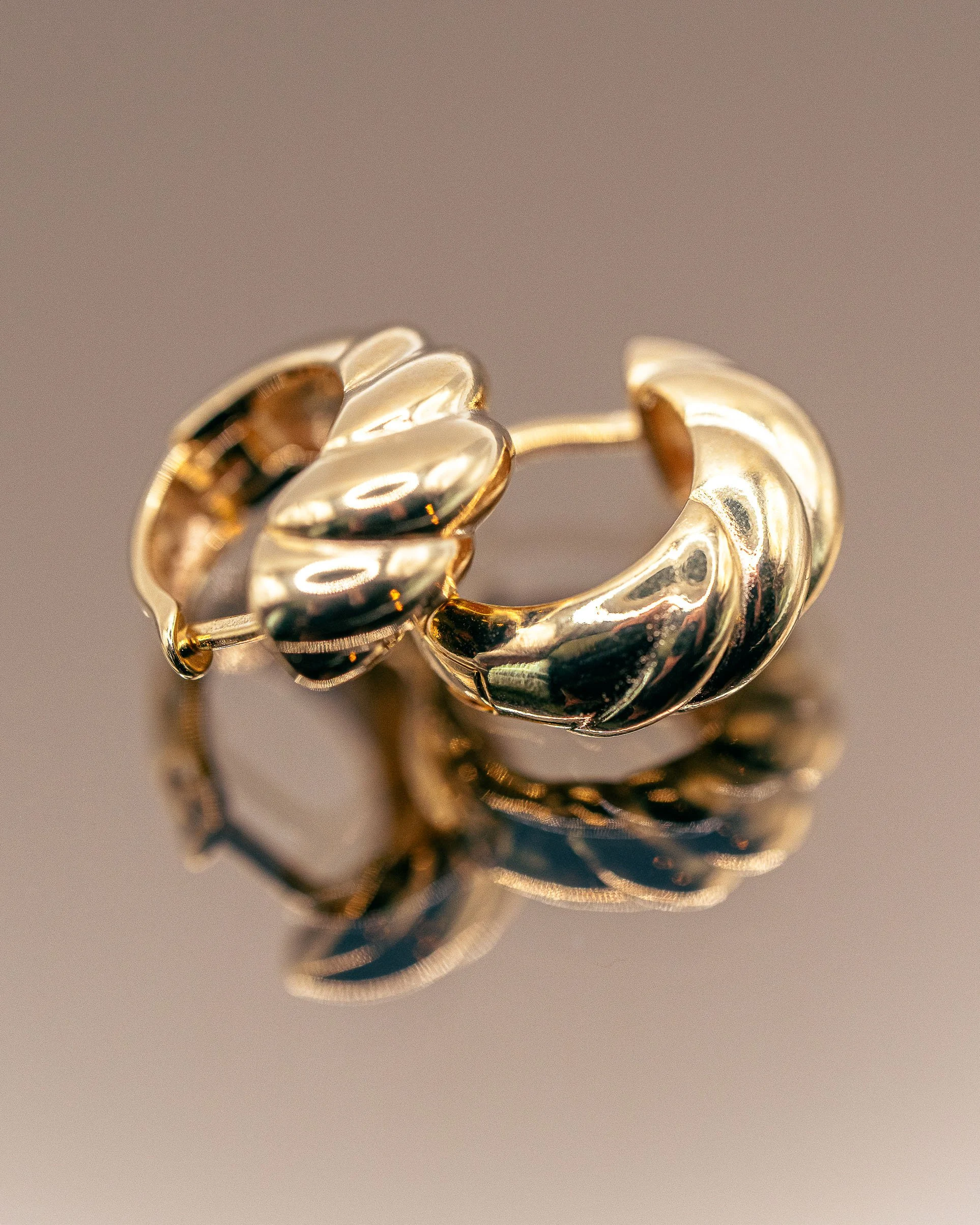
The croissant hoops are a harder subject. Polished gold acts like a mirror and picks up whatever surrounds it. Inside a lightbox, what surrounds it is the box itself, so the highlights stay smooth and controlled instead of reflecting a room, a window or me. The reflective surface underneath adds a second view of the shape, which works well for jewelry product photography.

The Proxicast connector is a different kind of test: machined threads, a center pin and fine edges on bright metal. Even light from all sides keeps that detail readable without deep shadows hiding the threads.
One honest note. The box gives you the light. Focus, lens choice and editing are still on you. For close detail like that connector, you need a camera and lens that can focus close enough to fill the frame.
What I like about using a lightbox for product photography
Consistent product photography lighting
The hardest part of product photography is controlling shadows, reflections and the light changing from one shot to the next. A lightbox surrounds the product with the same light every time, which removes most of that problem before you even pick up the camera.
Clean backgrounds with less work
Most ecommerce platforms favor simple, distraction-free images. A white backdrop inside a lit box gets you most of the way there in camera. You may still adjust exposure, white balance and the background in editing, but you start much closer to the finish line.
It fits on a desk
A 16-inch lightbox works on a table, a desk or the top of a tool chest. That makes it a realistic option for small businesses, online sellers and creators who do not have a dedicated studio space.
Repeatable listings
When you photograph a line of similar products, keeping the light, background and camera position the same makes the whole catalog look cohesive. A lightbox makes that consistency easy to repeat a week or a month later.
What you should know before buying a photography lightbox
Measure your largest product first
A 16-inch cube is roomy for jewelry and accessories, but larger products will not fit, and a product that barely fits is hard to light and frame well. Leave space on every side. If your products are bigger, look at a larger lightbox or a traditional lighting setup.
Some reflective products still take extra work
A lightbox helps a lot with polished metal, as the gold hoops show. Glass, chrome and flat glossy packaging are tougher. Large reflective surfaces can still show the front opening, the camera or bright hot spots. Commercial work on those products usually calls for positioned lights, flags and diffusion that a fixed box cannot give you.
The backdrops are a starting point
The included backdrops cover the basics. White products on a white background are especially tricky, and you will likely need careful exposure plus some cleanup in editing to keep the product from blending into the background.
Documenting a product is not the same as selling it
A lightbox is excellent for clean, catalog-style images that show what a product is. Advertising campaigns, lifestyle scenes, dramatic lighting and images with people require a more flexible production setup. Both have a place. Know which one you need before you buy.
How to get better product photos with a lightbox
A lightbox makes lighting easier, but it does not guarantee a professional image. These are the habits that make the biggest difference.
- Clean the product first. Dust, fingerprints and packaging residue show up immediately in close-up work, especially on polished metal.
- Lock your camera position. A tripod or phone mount keeps every product in a set framed the same way.
- Choose the angle that explains the product. Show its shape, its size and the feature a buyer cares about most.
- Watch your exposure on white. Cameras and phones often turn a white background gray. Raise exposure until the background reads white without washing out the product.
- Set white balance on purpose. The LEDs are daylight balanced, but set or correct white balance so the colors match the real product.
- Leave room around the product. Pushing it close to the walls makes it harder to light evenly and compose cleanly.
- Edit with a purpose. Exposure, color correction, dust cleanup and a consistent crop do more than heavy filters ever will.
If you sell on Amazon, check your final images against the marketplace rules in my guide to Amazon product image requirements. If you are shooting on a phone, my guide to taking better photos with your iPhone covers the camera side of the setup.
Who should buy a photography lightbox?
A lightbox is a good fit for:
- Ecommerce sellers on Amazon, Shopify or Etsy who photograph their own small products on a regular basis.
- Jewelry makers and sellers who need clean, even light on metal and stones.
- Small businesses and creators who want a consistent look across a product catalog.
- Anyone photographing small parts, hardware or components for listings, manuals or documentation.
- DIY product photography beginners who want controlled light without learning a full studio lighting setup first.
It is probably not the right buy if your products are large, if you need styled lifestyle or advertising images, or if your photos will anchor a paid campaign. In those cases the lighting needs go beyond what any fixed box can deliver.
Is the DUCLUS lightbox worth buying?
For small products, yes. I own it, I use it, and every product photo in this article came out of it. Its real value is consistency: the same clean, even light every time, on a desk, without setting up stands and modifiers.
It will not replace a full lighting setup for advertising work, and it is not meant to. Measure your products, confirm the 16-inch size fits them with room to spare, and expect to do some basic editing. If that matches how you work, it is one of the most practical tools a small product seller can own.
Frequently asked questions
What size lightbox do I need for product photography?
Measure your largest product and leave room on every side. A 16-inch lightbox like the DUCLUS handles jewelry, watches, cosmetics, accessories, small electronics and smaller boxed products. Larger items need a bigger box or a traditional lighting setup.
Is a lightbox good for jewelry photography?
Yes, for most jewelry. Polished metal reflects its surroundings, and inside a lightbox those surroundings are the even, bright walls of the box. The gold hoop photos in this article were shot in my DUCLUS 16-inch lightbox.
Can I use a phone with a photography lightbox?
Yes. The lightbox provides the light. Any camera that can focus close enough to fill the frame will work, including a phone. A tripod or phone mount helps keep every shot consistent.
Do I still need to edit photos taken in a lightbox?
Usually, yes. Expect basic exposure and white balance correction, dust cleanup and a consistent crop. A lightbox gets you much closer in camera, but it does not replace editing.
Does a lightbox work for shiny or reflective products?
It helps with small polished metal like jewelry. Glass, chrome and large glossy surfaces are harder because they can reflect the front opening, the camera or hot spots. Those products often need positioned lights, flags and diffusion.
What is the difference between a lightbox and a light tent?
The terms are often used interchangeably. A light tent usually means a fabric diffusion enclosure lit by external lights, while a lightbox like the DUCLUS has LED lighting built in.
When should I hire a product photographer instead?
When products are large, when you need lifestyle, advertising or campaign images, or when a catalog needs consistent professional results at scale. That is the work I do through my product photography service.
Product Photography / Pittsburgh and Nationwide
Need more than a lightbox can give you?
I photograph products for ecommerce, Amazon listings, ads and brand campaigns, from clean catalog images to fully styled sets. See how I approach product photography pricing, or learn how to ship your product to a photographer.
Explore Product PhotographySpecifications listed are DUCLUS's published figures for the 16-inch lightbox and can change. Check the current listing before you buy.
More from ISJDESIGNS: commercial product photography, automotive product photography, Amazon AI image rules for sellers, my photography gear and contact.